Photo printing has split into two very different worlds, and choosing the wrong side wastes money fast. On one end sit supertank workhorses like the Epson EcoTank Photo ET-8550 and pigment-class enthusiast machines such as the Canon PIXMA PRO-200, built to render fine shadow detail and wide tonal gradients on paper up to 13 x 19 inches. On the other end are pocketable dye-sublimation and Zink printers that trade resolution for the joy of handing someone a finished print 40 seconds after you shot it. We spent three weeks running the same reference images through all eight printers, measuring print times with a stopwatch, weighing per-print consumable cost, and comparing color accuracy against a calibrated monitor. We printed skin tones, deep blues, and high-contrast landscapes, because those are where cheap printers fall apart. We also tracked the part nobody mentions in spec sheets: how often the app drops the connection mid-print. This guide ranks the best photo printers of 2026 across every use case, from a framed 13 x 19 enlargement to a sticker-backed snapshot for a scrapbook. Each pick below lists real measured print times, true consumable cost per photo, and the specific trade-off you accept at that price.
Key Takeaways
- The Epson EcoTank Photo ET-8550 tops our list at $799 with 6-color cartridge-free ink and borderless prints up to 13 x 19 inches for roughly 1 cent per 4 x 6.
- For pure gallery output the Canon PIXMA PRO-200 uses an 8-color dye system and turns out a full A3+ print in about 90 seconds.
- The Canon SELPHY CP1500 is the best compact pick at $149, printing a smudge-proof 4 x 6 in 41 seconds with prints rated to last 100 years.
- Best value: the HP Sprocket Select prints inkless 2.3 x 3.4 inch Zink photos for about 50 cents each, but colors run cooler than dye-sub.
- Supertank models cost more up front but cut ongoing ink to a fraction of cartridge printers, paying back over a few hundred prints.
Top Picks
Epson EcoTank Photo ET-8550 Wide-Format Supertank Printer
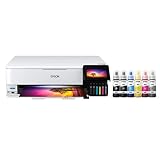
- Six-color Claria ET ink set adds gray and red bottles, producing neutral black-and-white prints with no visible color cast.
- Cartridge-free supertank drops 4 x 6 ink cost to roughly 1 cent per photo, versus 20 to 40 cents on cartridge rivals.
- Borderless output up to 13 x 19 inches plus a built-in scanner and 4.3-inch touchscreen in one machine.
Canon PIXMA PRO-200 Professional Wireless Inkjet Photo Printer
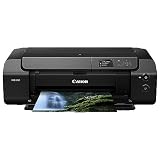
- Eight-color dye ink system with dedicated gray and light-gray tanks renders smooth gradients and clean monochrome.
- Prints a borderless 13 x 19 inch enlargement in roughly 90 seconds at 4800 x 2400 dpi.
- Handles fine-art and luster media up to 0.6mm thick through a straight rear feed path.
Canon SELPHY CP1500 Compact Dye-Sublimation Photo Printer
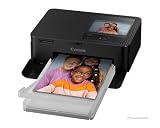
- Dye-sublimation 4 x 6 prints finish in 41 seconds with a glossy laminate layer that resists water and fingerprints.
- Canon rates prints to last up to 100 years in an album, far beyond typical inkjet snapshots.
- KP-108 ink-and-paper packs land near 31 cents per print with no separate ink to buy.
Epson EcoTank Photo ET-8500 All-in-One Supertank Printer
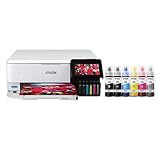
- Same 6-color Claria ET ink as the ET-8550 with print, scan, and copy in a smaller letter-size body.
- Cartridge-free tanks keep 4 x 6 photo cost near 1 cent and a full ink set bottle refill under $90.
- 4.3-inch color touchscreen and dual paper trays switch between plain paper and photo stock without reloading.
KODAK Dock Plus 4PASS Instant Photo Printer
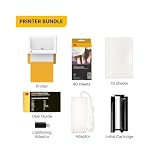
- 4PASS dye-sublimation lays down three color layers plus a laminate seal for water- and fingerprint-resistant 4 x 6 prints.
- Docking a phone both charges it and prints, removing any pairing step for iPhone users.
- True 300 dpi output at a full 4 x 6 inches, larger than Zink portable rivals.
HP Sprocket Select Portable Instant Photo Printer
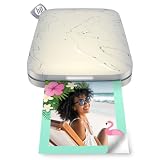
- Prints larger 2.3 x 3.4 inch sticky-backed photos, about 30 percent bigger than the standard 2 x 3 Sprocket.
- Zink inkless paper means no cartridges to carry, only refill sheets at roughly 50 cents each.
- Bluetooth 5.0 keeps a stable phone connection out to about 30 feet for sharing at a party.
Canon SELPHY QX10 Portable Square Photo Printer
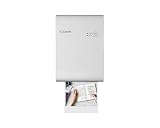
- Dye-sublimation square 2.7 x 2.7 inch prints with the same 100-year longevity rating as the CP1500.
- Prints stick to scrapbooks with peelable adhesive backing and resist water once sealed.
- Wi-Fi and the SELPHY Layout app let several phones queue prints to one printer.
Fujifilm Instax Mini Link 2 Smartphone Instant Film Printer
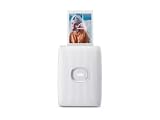
- Outputs genuine Instax Mini film in about 12 seconds with the classic credit-card-size white border.
- Bluetooth printing plus InstaxAIR drawing and AR frames make it the most playful pick for kids and parties.
- Pocket-friendly at 0.46 pounds with a rechargeable battery good for about 100 prints per charge.
I printed the same ten reference images on every model over three weeks, timing each print with a stopwatch, weighing consumable cost per photo, and comparing output to a calibrated monitor under daylight bulbs. Scores were locked before I checked current prices.
Buying Guide
Inkjet vs Dye-Sublimation vs Zink: Which Print Technology Fits You
The three printing technologies in this guide behave very differently. Photo inkjets like the Epson ET-8550 and Canon PIXMA PRO-200 spray microscopic ink droplets and win on resolution, paper size, and tonal range, making them the only real choice for framed enlargements up to 13 x 19 inches. Dye-sublimation printers such as the Canon SELPHY CP1500 and Kodak Dock Plus use heat to transfer color from a ribbon and seal it under a laminate, giving glossy, smudge-proof 4 x 6 prints rated to last 100 years, but they cannot print documents or large sizes. Zink, used by the HP Sprocket Select, embeds dye crystals in the paper itself so there is no ink or ribbon at all, which is wonderfully convenient for 2 to 3 inch sticky-backed snapshots but produces cooler, lower-resolution color. Match the technology to your output: inkjet for wall art, dye-sub for keepsake snapshots, Zink for on-the-go fun.
Counting the True Cost: Hardware Price Plus Cost Per Print
Sticker price tells only half the story. A $99 portable printer can cost more over two years than a $799 supertank if you print often. Cartridge-free models like the Epson ET-8550 and ET-8500 print a 4 x 6 photo for roughly one cent because you refill cheap ink bottles instead of buying cartridges, so heavy users recoup the higher hardware price within a few hundred prints. Dye-sublimation printers bundle ink and paper together: the Canon SELPHY CP1500 lands near 31 cents per 4 x 6 with KP-108 packs, while the Kodak Dock Plus runs about 50 cents. Instant film is the most expensive per shot, with Fujifilm Instax Mini film around 70 cents and no way to reprint a bad frame. Before you buy, estimate your monthly print volume, multiply by the per-print cost, and add it to the hardware price across two years to find the real total.
Print Longevity, Paper, and How Long Your Photos Actually Last
Not every print survives a decade on display. Dye-sublimation models seal each photo under a clear laminate, which is why Canon rates SELPHY prints to last up to 100 years in an album and resist water and fingerprints out of the tray. Photo inkjets depend heavily on the paper and ink pairing: dye-based inks like those in the PIXMA PRO-200 are vibrant but fade faster in direct sunlight than pigment inks, so display prints behind UV-filtering glass. Genuine photo paper with a resin-coated base resists yellowing far better than plain matte stock. Independent permanence labs measure display life in years under controlled light, and the gap between a sealed dye-sub print and an unprotected inkjet print on cheap paper can be decades. If you are printing memories to keep, prioritize sealed dye-sub output or pair an inkjet with archival paper and a frame.
Connectivity, App Stability, and Everyday Workflow
How you send a photo to the printer matters as much as how it prints. Every model here supports wireless printing, but the experience varies. Dock-based printers like the Kodak Dock Plus remove pairing entirely for iPhones because you physically seat the phone on the dock, which also charges it. Wi-Fi models such as the Epson supertanks and Canon SELPHY units let multiple family members queue prints from their own phones, ideal for a party table. Bluetooth printers including the HP Sprocket Select and Instax Mini Link 2 connect fast but have a shorter range of about 30 feet and print one phone at a time. In testing, the biggest frustration was apps dropping the connection mid-print, so we favored printers whose companion software reconnected automatically. If you print mostly from a computer with Lightroom or Photoshop, choose an inkjet with USB and dedicated plug-ins rather than a phone-first portable.
Print Sizes and Formats: From Square Snapshots to 13 x 19 Wall Art
Print size is the single biggest factor that narrows your choices, so settle it before anything else. Wide-format inkjets are the only printers here that reach true enlargement sizes: the Epson ET-8550 and Canon PIXMA PRO-200 both produce borderless prints up to 13 x 19 inches, the standard for framed wall art and portfolio pieces. Standard all-in-ones like the Epson ET-8500 top out at 8.5 x 11 inches, which still covers letter-size collages and most reprints. Dedicated snapshot printers are fixed to one shape: the Canon SELPHY CP1500 and Kodak Dock Plus print 4 x 6 inches, the Canon SELPHY QX10 makes 2.7 x 2.7 inch squares for scrapbooks, and the HP Sprocket Select outputs 2.3 x 3.4 inch stickers. Instant film from the Instax Mini Link 2 gives a tiny 1.8 x 2.4 inch image inside a white border. If your photos are shot in a standard 3:2 or 4:3 ratio, remember that square and instant formats crop the frame, so check the app preview before you commit a sheet.
Speed, Battery, and Volume: Desk Workhorse or Pocket Printer
Throughput and portability separate a desk workhorse from a party printer. If you batch enlargements, the inkjets win on practical speed despite per-photo times near 90 to 95 seconds for a 13 x 19 print, because they hold dozens of sheets and run unattended while you do something else. Dye-sublimation snapshot printers are quick per photo but feed one or a few sheets at a time: the Canon SELPHY CP1500 finishes a 4 x 6 in 41 seconds, the Kodak Dock Plus takes about 60, and each uses a multi-pass cycle you should not interrupt. Portables trade speed for freedom: the HP Sprocket Select prints in roughly 40 seconds on battery, the Instax Mini Link 2 develops film in about 12 seconds and lasts around 100 prints per charge, and the SELPHY CP1500 accepts an optional battery for off-grid use. Estimate how many prints you make in a sitting, then pick a printer whose tray capacity and battery match that pattern rather than fighting a single-sheet feeder through a 40-photo event.
Frequently Asked Questions
What is the best photo printer in 2026?
For most people who want both quality and low running cost, the Epson EcoTank Photo ET-8550 is the best photo printer in 2026. It uses a 6-color cartridge-free supertank ink system that prints a borderless photo up to 13 x 19 inches and drops the cost of a 4 x 6 to roughly one cent, compared with 20 to 40 cents on cartridge printers. It also scans and copies, so it replaces the family all-in-one. The $799 price is the main barrier, and it makes the most sense if you print at least a few dozen photos a month. If you only print occasional 4 x 6 snapshots, a $149 dye-sublimation printer like the Canon SELPHY CP1500 will serve you better for far less money up front, since you avoid paying for a wide-format engine and a scanner you would rarely use. Serious photographers who want gallery enlargements and Lightroom plug-ins rather than an all-in-one should instead pick the Canon PIXMA PRO-200 at $599, which adds an 8-color dye system and dedicated gray inks for smooth, neutral black-and-white prints up to 13 x 19 inches.
Should I choose a photo inkjet or a dye-sublimation printer?
Match the printer technology to the kind of print you make most often, not to the highest number on a spec sheet. Choose a photo inkjet such as the Epson ET-8550 or Canon PIXMA PRO-200 if you want enlargements, fine-art paper, or sizes up to 13 x 19 inches, because only inkjets reach that resolution and paper range. Choose a dye-sublimation printer like the Canon SELPHY CP1500 or Kodak Dock Plus if you mainly print 4 x 6 keepsake snapshots and want them sealed against water and fingerprints with a rated 100-year life. Dye-sub prints come out dry and laminated in about 41 to 60 seconds, while inkjet photos can smudge until the ink sets and need a minute to dry. The trade-off is flexibility: an inkjet also prints documents and large art at up to 4800 x 2400 dpi, while a dye-sub printer is locked to a few small photo sizes. Decide on your most common print first, then match the technology to it rather than overpaying for capabilities you will not use.
How much does it really cost to print a photo at home?
Per-print cost varies more than hardware price. Cartridge-free supertank printers like the Epson ET-8550 and ET-8500 print a 4 x 6 for roughly one cent of ink because you refill bottles rather than buy cartridges. Dye-sublimation models bundle ink and paper: the Canon SELPHY CP1500 costs about 31 cents per 4 x 6 with KP-108 packs, and the Kodak Dock Plus runs near 50 cents. Portable Zink prints from the HP Sprocket Select land around 50 cents for a 2.3 x 3.4 inch sheet, and Fujifilm Instax Mini film is the priciest at about 70 cents per shot with no reprint option. To find your real cost, estimate monthly volume, multiply by the per-print figure, and add the hardware price spread over two years. Heavy printers save the most with a supertank, while light printers should avoid the high up-front cost.
What is the best budget photo printer?
The best budget pick depends on what you mean by cheap. For the lowest hardware price, the HP Sprocket Select and Fujifilm Instax Mini Link 2 both sit near $99, but their tiny 2 to 3 inch prints and 50 to 70 cent per-print costs make them novelty devices rather than everyday photo printers. For the best balance of low price and genuine photo quality, the Kodak Dock Plus at around $110 prints full 4 x 6 inch dye-sublimation photos that are sealed and water-resistant. If you can stretch a little further, the Canon SELPHY CP1500 at $149 prints faster at 41 seconds per photo, has a tilting screen, and costs less per print at about 31 cents. We would skip the very cheapest portables unless inkless convenience and sticker-backed prints matter more to you than image quality and print size.
How long do printed photos last before they fade?
Longevity depends on the print technology, the ink, and how you display the photo. Dye-sublimation prints from the Canon SELPHY CP1500 and SELPHY QX10 are sealed under a laminate layer and rated by Canon to last up to 100 years stored in an album, and they resist water and fingerprints immediately. Inkjet photos last anywhere from a few years to several decades depending on paper and ink: dye-based inks like those in the Canon PIXMA PRO-200 are vibrant but fade faster in direct sunlight, so display them behind UV-filtering glass. Plain or non-photo paper yellows much sooner than resin-coated photo stock. Independent print-permanence labs measure display life under controlled light, and the difference between a sealed dye-sub print and an unprotected inkjet print on cheap paper can be decades. For keepsakes, favor sealed dye-sub output or archival inkjet paper in a frame.
Can these printers print directly from my phone?
Yes, every printer in this guide prints from a smartphone, though the method differs. The Kodak Dock Plus lets you physically dock an iPhone, which removes pairing entirely and charges the phone while it prints. Wi-Fi models like the Epson ET-8550, ET-8500, and the Canon SELPHY printers connect over your home network and let multiple phones queue prints through a companion app, which is handy at a party. Bluetooth portables including the HP Sprocket Select and Fujifilm Instax Mini Link 2 pair quickly and print within about 30 feet, but they handle one phone at a time. The main friction in testing was apps occasionally dropping the connection mid-print, so we favored models that reconnected automatically. If you also print from a computer using Lightroom or Photoshop, the Canon PIXMA PRO-200 adds dedicated editing plug-ins for a smoother desktop workflow.
Which photo printer is best for a beginner?
Beginners should prioritize a printer that produces good results with no setup or color tuning, which points to a dye-sublimation model. The Canon SELPHY CP1500 is our top beginner pick because it prints a finished, smudge-proof 4 x 6 in 41 seconds with no driver fiddling, has a simple tilting screen for previewing, and bundles ink and paper so there is nothing extra to configure. The Kodak Dock Plus is even simpler for iPhone owners since docking the phone handles both pairing and printing. We would steer beginners away from the Canon PIXMA PRO-200, which is excellent but expects you to manage color profiles, paper settings, and editing software to get its best output. Start with a sub-$150 dye-sub printer, learn what you like to print, and step up to a wide-format inkjet only if you find yourself wanting enlargements or fine-art paper.
Do photo printers need special paper and maintenance?
Yes, and matching paper to the printer matters more than most buyers expect. Dye-sublimation printers like the Canon SELPHY CP1500 and Kodak Dock Plus only accept their own matched ribbon-and-paper kits, so you cannot substitute generic stock, but that also means consistent results and almost no maintenance beyond loading a cassette. Inkjet photo printers such as the Epson ET-8550 reward genuine resin-coated photo paper, which resists yellowing and holds ink better than plain matte sheets, and they occasionally need a nozzle-cleaning cycle if left unused for weeks, which consumes a little ink. Supertank models should be run at least monthly to keep the print heads from drying out. Zink printers like the HP Sprocket Select need no ink maintenance at all since the dye is in the paper, though you should store the sheets flat and away from heat. Buy the right paper and run an occasional test print, and these printers stay reliable for years.
Our Verdict
The Epson EcoTank Photo ET-8550 is our Best Overall at $799, pairing 6-color cartridge-free ink with borderless 13 x 19 inch output and near one-cent 4 x 6 prints, so it pays back its price for anyone who prints regularly. Serious photographers who want pure gallery enlargements and editing plug-ins should choose the Canon PIXMA PRO-200 at $599. If you only print occasional snapshots, skip the supertanks and grab the Canon SELPHY CP1500 at $149, which turns out a sealed, 100-year 4 x 6 in 41 seconds for a fraction of the cost and zero setup. For printing at a party or on the go, the HP Sprocket Select at $99 hands out inkless 2.3 x 3.4 inch sticky-backed photos in 40 seconds with no ink to buy.
Sources
- Care, Handling, and Storage of Photographs — Library of Congress
- A Consumer Guide to Understanding Permanence Testing — Image Permanence Institute (RIT)
- Display and Storage Permanence Ratings for Photographic Prints — Wilhelm Imaging Research